User guide · Chapter 12 of 13
Credits, plans and billing
How credits work, what plans add, and how to buy, change or cancel.
- 1
Credits pay for what the AI makes
Everything that is generated costs credits, and the price is always shown before you start: a one-page site 15, a full 5-page site 63, an extra page 15, a change 3. Publishing, hosting on a ubuilder address, forms and your own uploads are free.
- 2
Failed jobs are refunded
If a build or picture fails, or you press Stop before it finishes, the credits come back to your account automatically.
- 3
Buy credits or choose a plan
Open Settings & Billing (or click your credits at the top). Credit packs are one-off purchases and never expire. Monthly plans add credits every month plus your own domain, more social accounts and more: Creator $29, Business $79, Agency $199 a month.
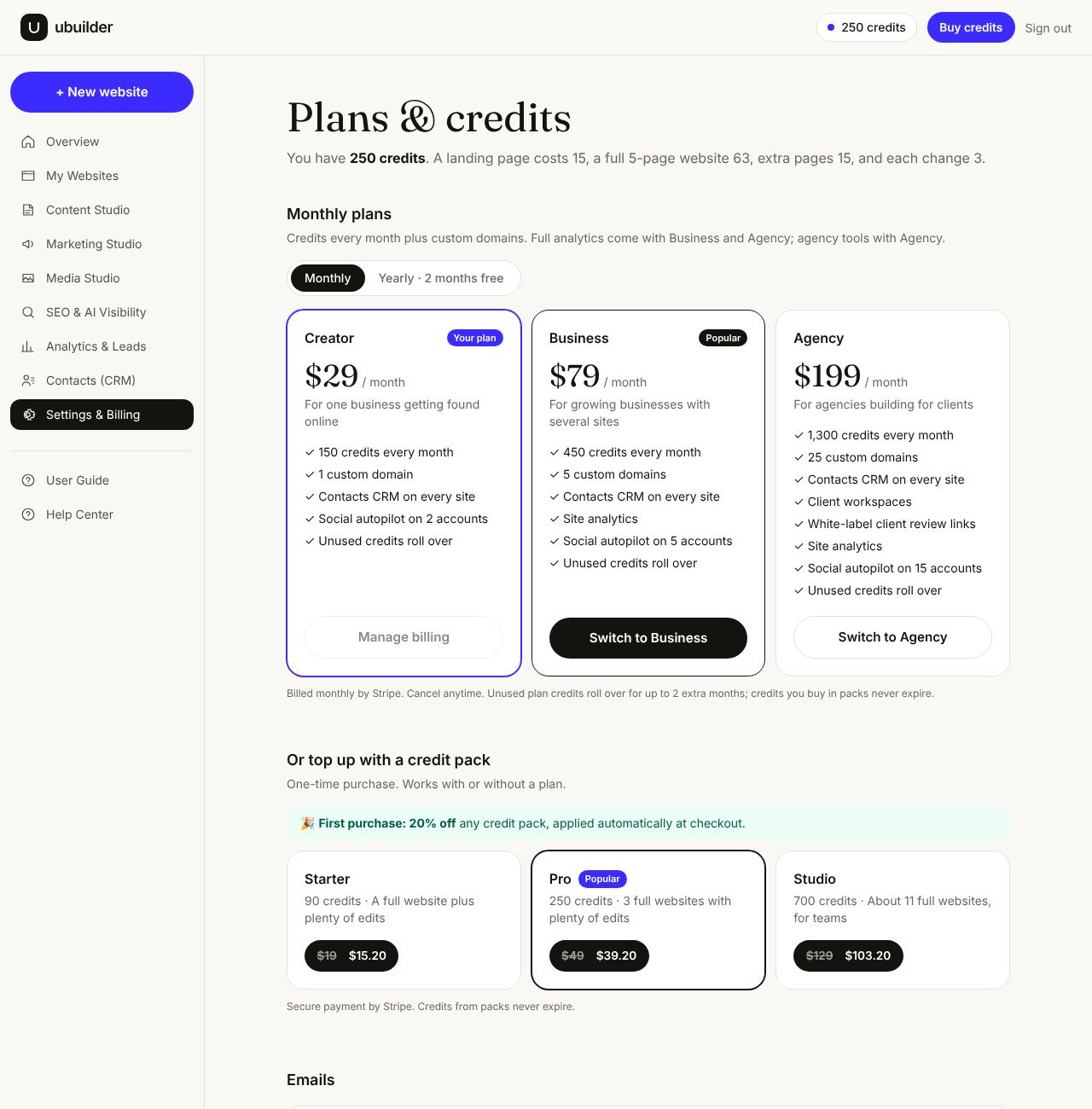
The billing page with credit packs and plans. Click the picture to see it full size. - 4
Compare plans
The pricing page lists exactly what each plan includes.
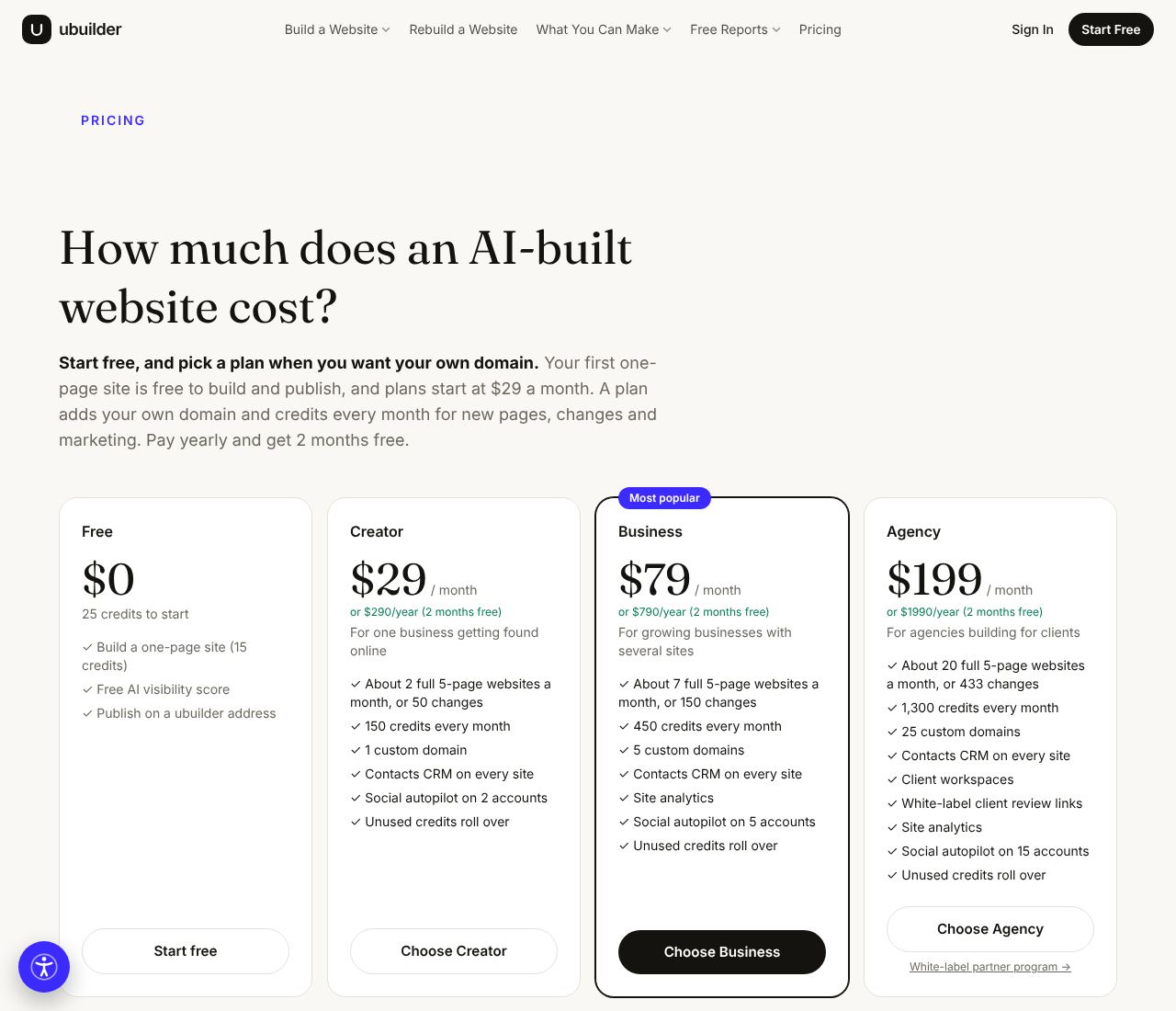
The pricing page. Click the picture to see it full size. - 5
Change or cancel
Switch plans at any time on the Billing page. To cancel, open Manage billing; your plan stays active until the end of the period you paid for. Email notifications can be turned off under Email settings on the same page.
Stuck? Email hello@ubuilder.ai or use the Ask a question button at the bottom right.