User guide · Chapter 13 of 13
Privacy, accessibility and other tools
The privacy policy every site gets, accessibility tools for visitors, downloads, agencies and affiliates.
- 1
A privacy policy on every site
Every published site has a privacy policy page at /privacy, linked from the footer, written from how the site really works (its forms, visit counting and any tools in its pages). If you add your own privacy page, yours is used instead. Review it and add your legal details; it is a starting point, not legal advice.
- 2
Accessibility tools for your visitors
In a site's Settings you can add an accessibility toolbar (text size, contrast, readable fonts and more) for 10 credits, once. You can switch it off and on again for free.
- 3
Download your site
Your site is yours. Download in the editor saves the open page as HTML; Download site saves every page in one ZIP.
- 4
Agencies
The Agency plan adds client folders and white-label review links so clients can approve work without seeing ubuilder. See ubuilder.ai/agencies.
- 5
Earn by recommending ubuilder
The affiliate program pays 20% of what the people you refer pay in their first 12 months. Your link and ready-made posts are on the Affiliate page.
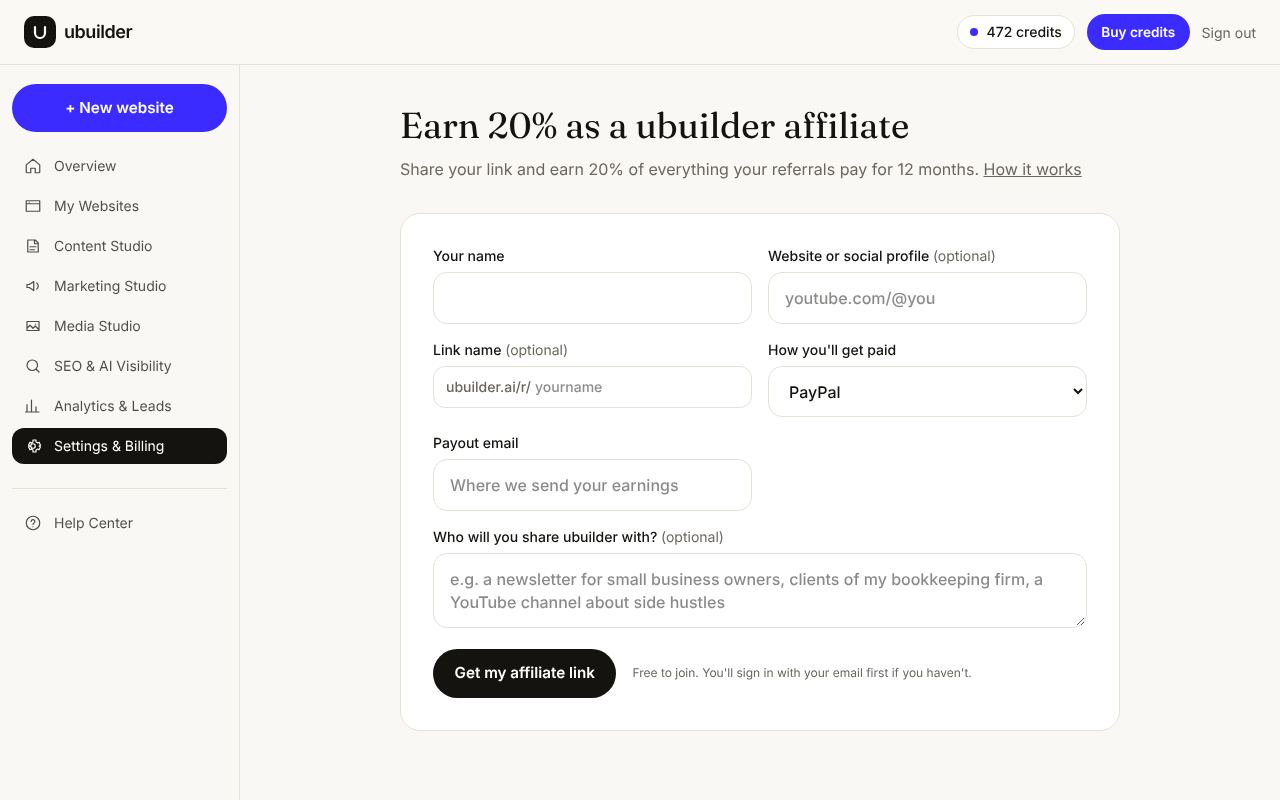
The affiliate page with your referral link. Click the picture to see it full size. - 6
Charity and petition websites
Describe the cause the same way you would describe a business. A charity site gets Donate buttons that open your own giving page (ubuilder does not take donations or issue receipts) and a volunteer form. A petition site gets a sign form and a live count of signatures, with each email counted once; signatures arrive in the Leads inbox and can be downloaded as a spreadsheet. Signatures are not verified, so this suits community campaigns rather than official legislative petitions.
- 7
Have it done for you
If you would rather not build it yourself, ask for a free quote at ubuilder.ai/quote.
Stuck? Email hello@ubuilder.ai or use the Ask a question button at the bottom right.